



Discover all of the podcasts in our network, search for specific episodes, get the Optimal Living Daily workbook, and learn more at: OLDPodcast.com.
Episode 2564:
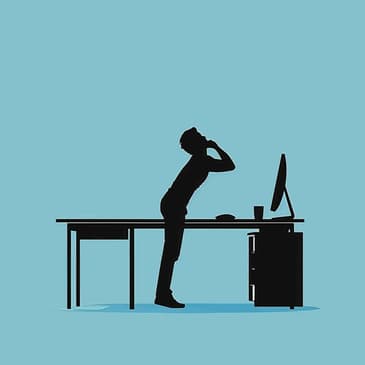
Discover how to seamlessly integrate movement into your workday to combat the negative effects of prolonged sitting, as discussed by a former Universal Studios ergonomist. Learn practical tips for setting up your workspace to reduce strain and explore discreet exercises you can do right at your desk. These strategies not only enhance your physical health but also ensure you remain productive and avoid workplace scrutiny.
Quotes to ponder:
"When we sit in our office chairs and stare at a computer screen most of the day, the muscles in our lower back, our abdominals, trapezius and our neck begin to fatigue."
"Most health agencies recommend that a break be taken every 30 to 60 minutes. During this break stand up and move around."
"Simple chair exercises can improve your fitness while you remain in your office, effectively blending health management with your professional responsibilities."
Episode references:
20 Best Ergonomics Books of All Time: https://bookauthority.org/books/best-ergonomics-books
Ergonomics of the Self – Posture, Motion and Your Inner Ergonomics: https://ergonomics.org/books/
Learn more about your ad choices. Visit megaphone.fm/adchoices
[00:00:00] Hey, it's Ryan Reynolds and I'm here with Keith, co-star of my upcoming film, If.
[00:00:03] Only in theaters May 17th.
[00:00:05] Do you want to tell people the big news?
[00:00:07] Alright, I'll do.
[00:00:07] Sign up now and you'll get Unlimited for $15 a month
[00:00:10] and six months of Paramount Plus Essential Plan on us.
[00:00:14] Mintmobile.com slash switch.
[00:00:16] Upfront payment of $45 equivalent to $15 per month.
[00:00:18] Unlimited over 40 gigabytes per month.
[00:00:19] Face lower speeds.
[00:00:20] Videos at 480p.
[00:00:21] Active Mint customers by 531.24.
[00:00:23] Get six months of Paramount Plus Essential Plan.
[00:00:24] Auto renews after six months.
[00:00:25] Offer ends May 31st, 2024.
[00:00:27] Separate Paramount Plus registration required.
[00:00:28] Terms and conditions apply.
[00:00:29] If rated PG.
[00:00:30] This episode is brought to you by La Quinta by Wyndham.
[00:00:33] Your work can take you all over the place, like Texas.
[00:00:36] You've never been, but it's going to be great because you're staying at La Quinta by Wyndham.
[00:00:40] Their free bright side breakfast will give you energy for the day ahead.
[00:00:43] And after you can unwind using their free high speed Wi-Fi.
[00:00:47] Tonight La Quinta, tomorrow you shine.
[00:00:49] Book your stay today at LQ.com.
[00:00:54] It's another Q&A edition of Optimal Health Daily, Episode 2564.
[00:00:58] And I'm Dr. Neal Malik.
[00:01:00] Hey there, happy Friday and welcome to another Q&A edition of Optimal Health Daily,
[00:01:06] where I answer your health questions related to fitness, diet and nutrition, and more.
[00:01:11] You send in the questions and I answer them for you.
[00:01:14] And with that, let's jump right in and hear today's question as we optimize your life.
[00:01:23] Today's question came via email.
[00:01:25] Janelle writes,
[00:01:27] Hello, I heard you could get a free journal workbook if I submitted a health question to
[00:01:32] your show. That motivated me to finally send one in. Here it is.
[00:01:37] Everyone knows how bad sitting is for you and how much movement improves workplace performance.
[00:01:42] Do you have any tips on how to incorporate more movement into a traditional workday,
[00:01:48] especially ways in which your sedentary boss and co-workers won't accuse you of shirking your work?
[00:01:54] Thanks.
[00:01:56] Thank you for the question, Janelle.
[00:01:58] I'm so glad that our offer of sending you a free workbook for sending in a question
[00:02:03] motivated you to do so.
[00:02:06] We are finding through survey data that for those of us in the US,
[00:02:09] we are working longer hours at our jobs and taking fewer breaks.
[00:02:13] And the breaks that we do take don't usually entail going for a walk.
[00:02:18] Instead, the breaks are usually centered around food.
[00:02:22] In a previous life, I was actually one of the ergonomists at the Universal Studios
[00:02:27] theme park in California. My job was to make sure people were safe and efficient
[00:02:32] while working for the park. I worked with a number of different populations, but
[00:02:37] I did notice a trend amongst those that worked at a desk. Their posture suffered.
[00:02:43] When we sit in our office chairs and stare at a computer screen most of the day,
[00:02:48] the muscles in our lower back, our abdominals, trapezius, and our neck begin to fatigue.
[00:02:55] So over time, it's natural that we'll begin to slouch and hunch over our keyboards.
[00:03:00] The same goes for those of us that spend a lot of our days driving.
[00:03:04] If you're listening to this while sitting at work or driving right now, I'm willing to bet
[00:03:09] you just adjusted your posture just by me bringing more awareness to it.
[00:03:14] Now, this is something I'll come back to, this idea of posture.
[00:03:17] But over the long term, if no corrections are made, chronic pain could be in the near future.
[00:03:24] Now, before I talk about getting in more movement during the day,
[00:03:27] I wanted to provide some advice with regards to how your computer is set up.
[00:03:33] First, your computer monitor needs to sit straight in front of you, not at an angle.
[00:03:39] Also, it should sit at a specific height to relieve neck and eye strain.
[00:03:45] When you're seated at your desk comfortably, the top of your computer monitor should sit
[00:03:50] slightly below eye level. This will help maintain a neutral neck position.
[00:03:55] Here's how you can do that.
[00:03:57] When you're seated comfortably at your desk, your eyes should be in line with a point on the screen
[00:04:03] about 2 to 3 inches below the top of the monitor casing, not the top of the screen itself.
[00:04:09] Next, let's adjust your chair.
[00:04:12] It's actually best to have a slight recline angle in your office chair.
[00:04:17] A reclined posture of about 100 to 110 degrees is ideal.
[00:04:21] Basically, you don't want to be sitting upright. That's going to quickly fatigue your core muscles.
[00:04:27] Also, when you're working, be sure you sit back in the chair and that your back feels
[00:04:32] supported in this position. Your feet should be placed flat on the floor or, if they can't reach,
[00:04:38] on a footrest.
[00:04:40] Now, about rest breaks at work. Most health agencies recommend that
[00:04:44] a break be taken every 30 to 60 minutes. During this break, stand up and move around if you can.
[00:04:51] Even if this break lasts for just 3 to 5 minutes, it helps. It forces you to refocus your eyes on
[00:04:57] other objects, which is great for long-term eye health and, of course, gets the body moving.
[00:05:03] Now, if you choose to go for a walk, you can help relieve some of those
[00:05:06] chest and neck muscles by making sure your posture while walking is perfect.
[00:05:11] An easy way to do this is to make sure that when you walk, you make a very gentle fist.
[00:05:17] Then, gently turn your wrists so that the knuckles of your thumbs point straight ahead.
[00:05:24] This is automatically going to force your shoulders back and down and force you to stand upright.
[00:05:31] It's simple but effective.
[00:05:33] Okay, what do we do about those that may not appreciate the fact that you're taking care of
[00:05:38] your body and going for these walks or taking these breaks, meaning those that might accuse you
[00:05:43] of taking too many breaks and not getting your work done? Well, then you can start to think
[00:05:48] about performing chair exercises so you're still in your office and improving your fitness at the
[00:05:54] same time. For example, you could work on your flexibility. You could perform some chest and
[00:06:00] neck stretches. Because we often hunch over at our desks, our chest and trapezius muscles stay
[00:06:06] contracted. So, to relieve these muscles, we want to move them in the opposite direction. You can do
[00:06:13] this in a seated or standing position but here's the basic move. Raise both your arms straight in
[00:06:19] front of you until they are at chest height. Make sure your arms touch. Then, turn your palms up so
[00:06:27] they face the ceiling. The pinky fingers on each hand should now touch. Now, with palms still facing
[00:06:35] the ceiling, slowly open up your chest by separating your pinkies and moving each arm towards the wall
[00:06:42] behind you. At the end of the move, your thumbs should be facing the wall behind you. Try and make
[00:06:49] your thumbs touch behind you. Now, you won't be able to but just thinking about it will force you into a
[00:06:56] deeper stretch. As you try and get your thumbs to touch behind you, gently exhale to get a slightly
[00:07:03] deeper stretch. To stretch the neck muscles, first place both arms by your sides so that your fingertips
[00:07:09] face the ground. You can do this standing or seated. Imagine there's a light weight dangling from each
[00:07:16] of your hands, pulling your trapezius muscles down. Then, gently turn your head from side to side
[00:07:23] while keeping your arms at your sides with those imaginary weights, keeping your arms reaching for
[00:07:29] the floor. As you gently and slowly turn your head to either side, exhale. Now, while seated, you could
[00:07:37] perform some calf raises and calf extensions. So now we're talking about a little bit of resistance
[00:07:43] style training instead of flexibility. So again, while seated, with both feet flat on the floor, flex
[00:07:50] and extend them. You should feel your calves engage. You could also lift one leg at a time
[00:07:56] and perform single leg extensions. And this move you need to do while seated. Now, you'll start to
[00:08:02] feel your quadriceps and even your stomach and lower back start to engage when you extend your legs.
[00:08:09] And if you're working at a desk, the advantage is no one's going to be able to tell because all of
[00:08:14] this is happening out of sight under the desk. Now, if you have meetings that are held remotely, try to
[00:08:21] stand during them. If you can move your body while standing, like gently walking in place or doing
[00:08:27] standing squats or standing calf raises, that would be even better. Of course, if meetings are held on
[00:08:33] Zoom with your camera on, these movements are probably not possible. But simply standing is still
[00:08:38] an improvement over sitting. Okay, now that you have all this knowledge, how do we encourage ourselves
[00:08:45] to actually take these breaks? Just like you were motivated to send in your question, we need to find
[00:08:50] a way to trigger these behaviors. After all, working at a computer can be hypnotic. Hours can pass
[00:08:57] without us even realizing it. So, to be sure you're getting those breaks in, one of the easiest things
[00:09:03] you can do is to put a reminder on your phone or on your Outlook calendar at work. Set the reminder
[00:09:09] so it goes off once every hour during the workday. If a reminder once every hour gets annoying because
[00:09:15] it's just too often, try setting it for every hour and a half or every two hours. I promise,
[00:09:21] it'll still help. We're driven by the search for better. But when it comes to hiring, the best way
[00:09:30] to search for a candidate isn't to search at all. Don't search. Match with Indeed. Indeed is your
[00:09:37] matching and hiring platform with over 350 million global monthly visitors and a matching engine that
[00:09:44] helps you find quality candidates fast. Ditch the busy work. Use Indeed for scheduling, screening,
[00:09:50] and messaging. 93% of employers agree Indeed delivers the highest quality matches compared
[00:09:56] to other job sites. One of the things I love about Indeed is that it filters out incompatible
[00:10:01] applicants. So, when you're hiring, the process is much faster and you only have to consider
[00:10:07] applicants that are already likely to be a great fit. And listeners of this show will get a $75
[00:10:13] sponsored job credit to get your job's more visibility at indeed.com health. Just go to
[00:10:21] indeed.com slash health right now and support our show by saying you heard about Indeed on this
[00:10:27] podcast. Indeed.com slash health. Terms and conditions apply. Need to hire? You need Indeed.
[00:10:37] Your brain needs support and new Oli Brainy Chews are a delightful way to take care of your
[00:10:42] cognitive health. Made with scientifically backed ingredients like Thai ginger, L-theanine, and
[00:10:46] caffeine. Brainy Chews support healthy brain function and help you find your focus, stay chill,
[00:10:52] or get energized. Be kind to your mind and get these nootropic chews at oli.com. That's O-L-L-Y.com.
[00:10:59] These statements have not been evaluated by the Food and Drug Administration. This product is
[00:11:02] not intended to diagnose, treat, cure, or prevent any disease. Thank you again for taking the time
[00:11:08] to send in your questions, Janelle. Now, if you want to send me a question and have it answered
[00:11:13] right here on the show, plus get a copy of our workbook just for doing that, you can email your
[00:11:18] question to health at OLDpodcast.com. Or if you want your voice played on an episode, come by
[00:11:26] OLDpodcast.com slash ask. Right on that page, you can record straight from your computer's
[00:11:33] microphone. It's really easy. You could even play back your message and do retakes before
[00:11:38] sending it in, or you can do it the old-fashioned way and call in your question. The number is
[00:11:43] 1-61-ILOVE-OHD. That's 1-614-568-3643. Alright, that's another Q&A edition of Optimal Health Daily.
[00:11:57] Thank you so much for listening every day and all the way through. I hope you have a great start to
[00:12:02] your weekend, and I'll see you back here tomorrow where your optimal life awaits!